How To Add Animated Wallpaper To Your Desktop Pc
Using static wallpapers has become quite familiar and somewhat boring for many computer users. To make your work or entertainment space on your PC more lively and personalized, live wallpapers are an excellent choice.
Here are the top two names highly rated by the user community, ranging from free to paid, with detailed instructions included.
Lively Wallpaper – Free, Open Source
Lively Wallpaper is an excellent application for Windows users (10 and 11). This software is completely free, open-source, and available on the Microsoft Store, making installation extremely safe and easy.
Pros: 100% free, no ads, supports a wide range of formats from videos, GIFs, web pages, to even YouTube and HTML applications. A standout feature is its ability to intelligently pause the wallpaper when you play games in full-screen mode to free up resources.
Cons: The built-in wallpaper library within the application is quite limited, but you can easily import countless sources from external files.
Steps to set up a live wallpaper using Lively Wallpaper:
1. Download the Software:
Get it from Official Website
Get it from Microsoft
2. Open the Application:
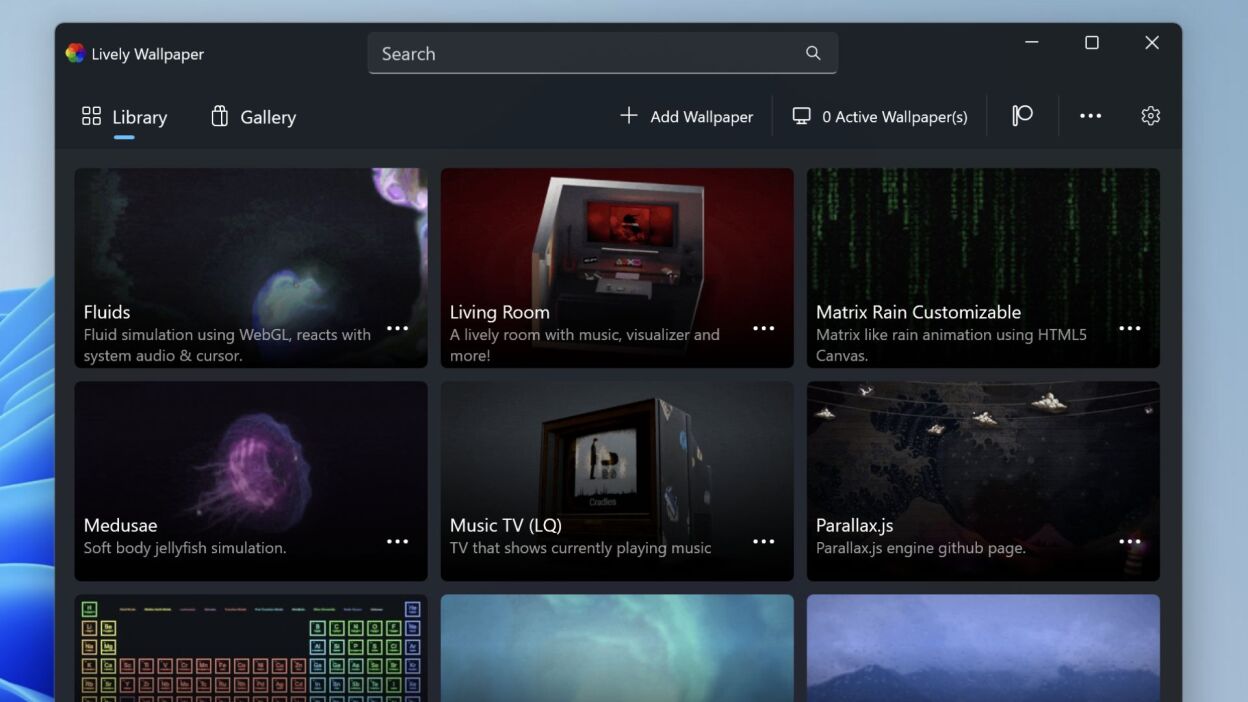
After installation, open Lively Wallpaper from the Start menu.
3. Choose a Built-in Wallpaper:
The main interface will appear with sample live wallpapers. You simply click on any wallpaper to apply it immediately.
4. Add a Wallpaper from Your Video (Optional):
- Click on the plus (+ Add Wallpaper) icon in the top right corner of the app.
- Select the Browse option to open File Explorer.
- Navigate to the folder containing your desired video or GIF file, select it, and click Open.
- Click OK to add the video to your personal library. Then, simply click on the newly added video in the library to set it as your wallpaper.
View the full Lively Wallpaper documentation here
Wallpaper Engine – Most Versatile and Powerful (Price: $3.99)
Dubbed the “king” of the live wallpaper scene, Wallpaper Engine is a familiar software for most gamers on the Steam platform.
Pros: A massive library of extremely high-quality wallpapers from the global user community, ranging from vibrant 3D landscapes and anime to interactive wallpapers (can react to mouse movements, sound, time, etc.). You can also easily create your own wallpapers. The software is very well-optimized for performance and automatically pauses when running full-screen games.
Cons: This is a paid software (costing around a few US dollars) and you need a Steam account to download it.
Steps to set up a live wallpaper using Wallpaper Engine:
1. Get it on Steam:
2. Install:
After purchase, go to your Library in Steam, find Wallpaper Engine, and select Install.
3. Choose a Wallpaper:
Launch the software. You’ll see an interface with thousands of wallpapers clearly categorized. Click on any wallpaper to preview it and click the Subscribe button to download it to your computer.
4. Apply:
After downloading, the wallpaper will be applied automatically. You can manage your downloaded wallpapers in the “Installed” section.
• Disclaimer:
Wallpaperwaifu.com is not affiliated with any software. We just have a genuine appreciation for great software.
Thanks
love sz
thansks
good
okay
nice
Thanks
How do i swap my monitor display because i want the backround on my other monitor,
ti so cool
How do I delete it ? I want to use something else and whenever I normally put a image on in settings the video just comes back.